The software
Viral Clip Factory for macOS and Windows
A desktop app that turns a YouTube video into a short clip: cut, reframed and captioned. All the processing happens on your computer.
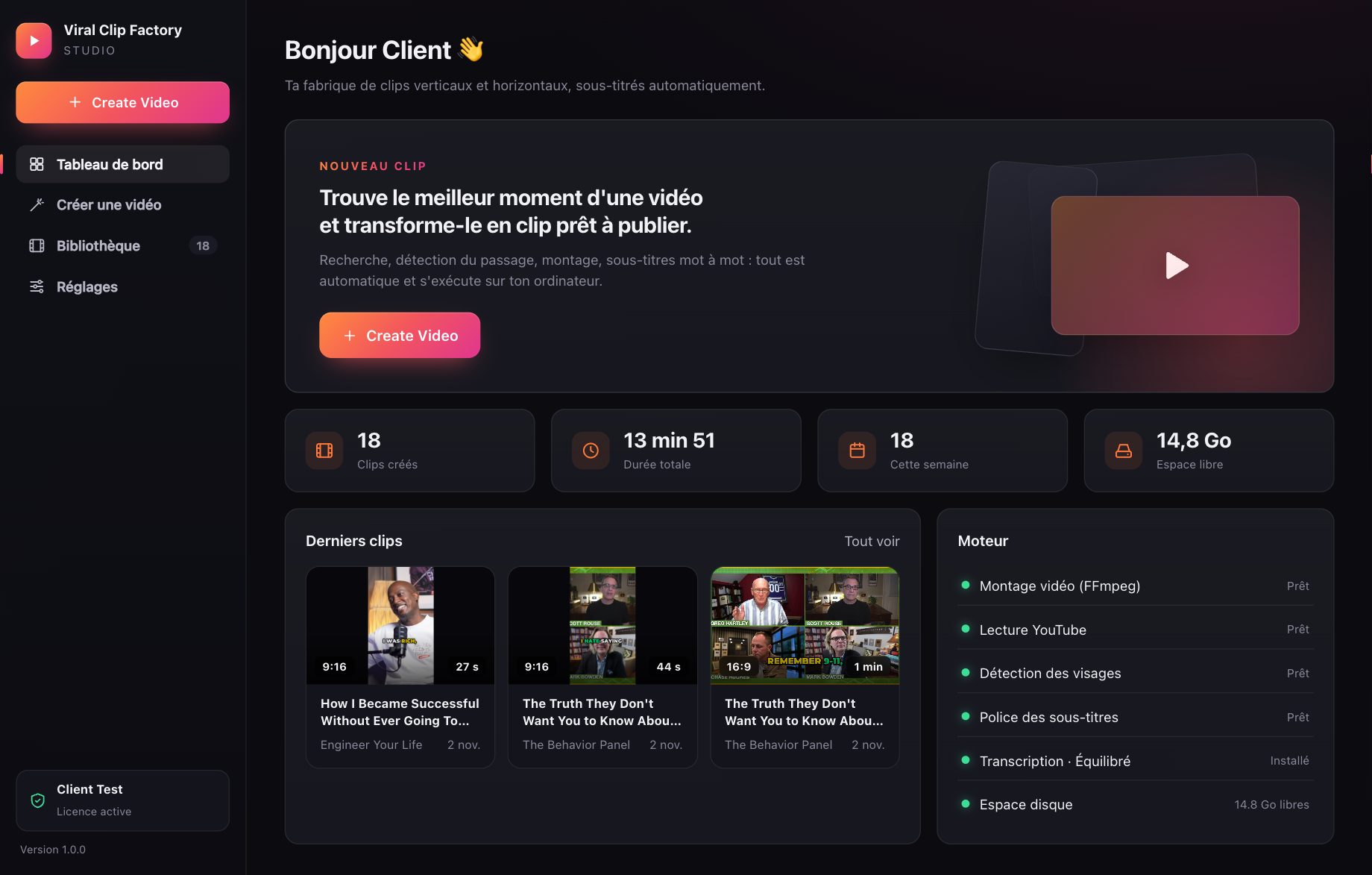
Features
What the software does, precisely.
Four ways to choose the source
- YouTuber (with an optional topic): finds the channel and analyzes its recent videos.
- Topic: searches all of YouTube among videos under a Creative Commons license.
- Automatic: one or more niches (podcasts, business, comedy…), compared with each other.
- Direct link to a specific video.
Analysis and choice of the passage
- Score based on real statistics (views/day, measured growth, engagement, relevance).
- “Explore” mode: shows the video ranking before generating.
- Self-contained passage: hook, emotion, conclusion; never cut mid-sentence.
- Topic: only passages where the topic is actually spoken are kept.
Editing
- Landscape 16:9 (1920×1080) or portrait 9:16 (1080×1920) reframed on faces.
- Length of your choice from 15 s to 3 min (accuracy about ±10%).
- H.264/AAC, audio normalized to −14 LUFS, 1 to 5 clips per generation.
Deliverables for each clip
- .mp4 video with burned-in word-by-word captions + .srt file.
- .jpg thumbnail, ready-to-post caption, hashtags.
- .json sheet: source, license, timestamps, reasons for the choice.
Specifications
Technical sheet
| System | macOS 12 Monterey or later, Mac with Apple silicon (M1, M2, M3, M4…). Windows 10 (1809+) or Windows 11, 64-bit, with Microsoft Edge WebView2 (present on up-to-date versions). No version for Intel Macs at the moment. |
|---|---|
| Disk space | ≈ 500 MB for the app + ≈ 480 MB for the transcription engine (downloaded with the first clip) + your videos. |
| Internet | Required for: activation, a short subscription check (in the background, at least once per paid period), reading YouTube videos, the first download of the transcription engine. Transcription, analysis, editing and captions are computed on your computer. |
| Generation | Unlimited. No quota, no credits: create as many clips as you want, in landscape or portrait. |
| Account / online AI | No account to create, no API key to provide. The software does not use any online AI service. |
| License | One unique activation code per subscription, usable on one computer at a time. Changing computers: “Deactivate this device” in the settings, then activate on the new one (Mac or PC). |
| Updates | All included while the subscription is active. The app tells you when a new version is available. |
| Generation time | Usually 2 to 6 minutes per clip depending on the length, the format and the power of your computer (measured on an Apple M1 Mac; a recent PC with 4 cores or more gives comparable times, an old PC can be much slower). |
| Copyright | By default, only YouTube videos under a Creative Commons license, with credit to the author. For any other video, you must have the creator's permission and confirm it in the software. You remain responsible for what you publish. |
| Price | €19 incl. tax / month or €149 incl. tax / year (€12.42/month). No commitment, cancel anytime; access stays open until the end of the paid period. |
Good to know before subscribing. The software depends on YouTube: if YouTube temporarily blocks access or changes how it works, a generation may fail until the next update. Using third-party videos is subject to copyright and to YouTube's terms.